

Download Windows 10 Manager – Windows 10 optimization, system cleaner, registry cleaner, performance booster, Windows 10 manager
Overview
Windows 10 Manager is a comprehensive utility tool designed to enhance and optimize the Windows 10 operating system experience. Developed by Yamicsoft, the application offers over twenty distinct features aimed at improving system performance, stability, and user customization. Its primary purpose is to empower users with advanced tools typically reserved for technical experts, making system maintenance accessible to a broader audience. The app addresses common challenges such as slow startup times, cluttered storage, registry bloat, and system instability—issues that can degrade user productivity and overall satisfaction.
Target users include both casual computer users seeking a smoother experience and advanced users who want granular control over system settings. The app is particularly useful for individuals managing older hardware or those who frequently encounter system slowdowns. Real-world use cases include preparing a system for new software installations, cleaning up temporary files after heavy usage, and customizing interface elements for a more personalized workflow. In the broader software ecosystem, Windows 10 Manager fills a niche by consolidating multiple system maintenance functions into a single, cohesive interface, reducing the need for third-party tools.
The developer, Yamicsoft, is known for creating system utilities focused on Windows optimization, though specific company details were not provided in the input. The app’s release on July 17, 2023, indicates it is a current and actively maintained product. Its presence in the utilities category underscores its role as a performance-enhancing tool within the Windows environment.
Key Features & Functionality
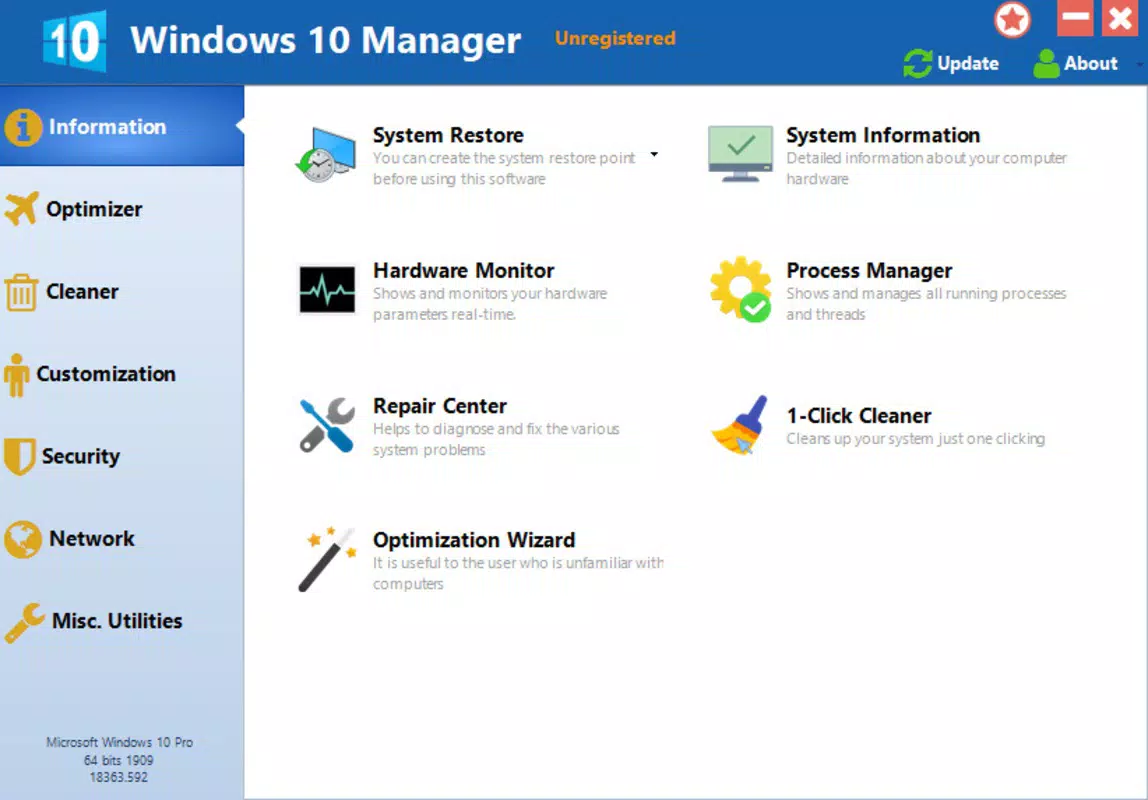
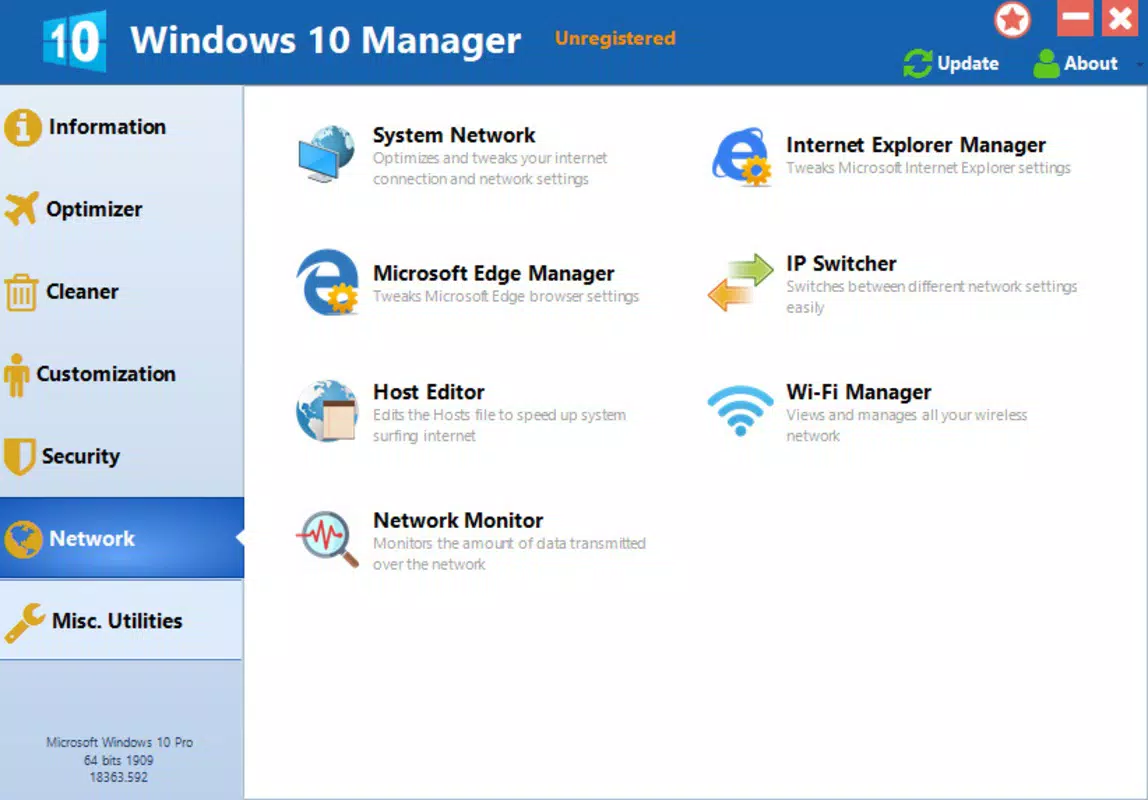
Windows 10 Manager organizes its extensive feature set into seven clearly labeled tabs: Information, Optimizer, Cleaner, Customization, Security, Network, and Miscellaneous Utilities. This structured layout enhances usability by allowing users to quickly locate relevant tools based on their needs.
- Optimizer Tools: Five dedicated tools improve startup speed, fine-tune system settings, and adjust background processes for better efficiency. These are ideal for users experiencing sluggish performance after prolonged use.
- Cleaner Utilities: Nine tools target junk files, duplicate files, temporary data, and disk clutter. They help reclaim storage space and improve system responsiveness over time.
- Registry Maintenance: The app includes tools to scan and repair invalid registry entries, which can accumulate from software installations and removals, potentially causing system errors.
- Customization Options: Users can modify the appearance of the Windows interface, adjust context menus, and personalize system behaviors to align with workflow preferences.
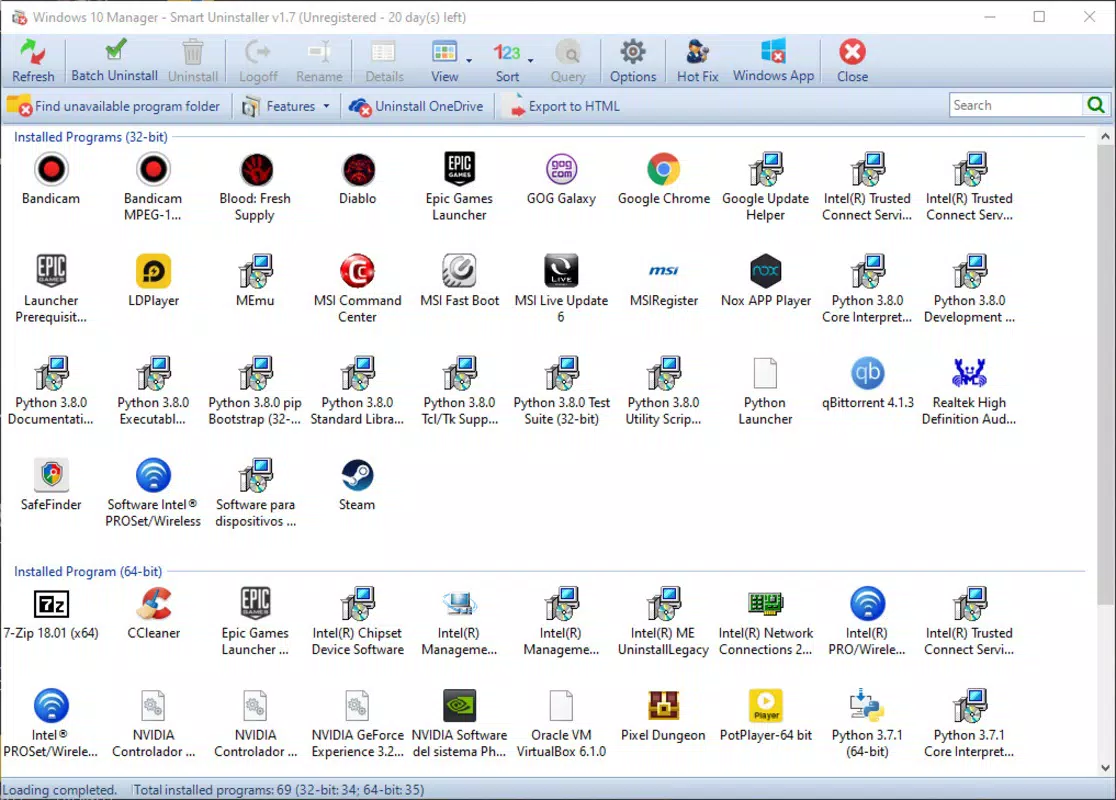
- System Restore & Uninstall Assistant: A built-in restore function allows reverting system changes, while the uninstall assistant simplifies the removal of default Windows applications, reducing bloat.
Each feature is designed to deliver tangible benefits, such as faster boot times, improved disk usage, and a cleaner, more efficient operating environment. The integration of these tools into a single interface reduces the complexity of system maintenance and supports consistent performance over time.
Interface, UX & Performance
The interface of Windows 10 Manager is structured around a tab-based navigation system, offering a clean and intuitive layout. Visual design elements are minimalistic, focusing on functionality rather than decorative features. Users can easily switch between tabs to access specific tools, with each section displaying relevant controls and status indicators.
Navigational flow is straightforward, with logical grouping of features and clear labeling. The application does not require advanced technical knowledge, making it accessible to non-expert users. Although the developer did not list formal performance metrics, the app’s lightweight file size of 17.8 MB suggests efficient resource usage. It is designed to operate smoothly on a range of Windows 10 hardware configurations, including older or low-spec devices.
Responsiveness is consistent during routine operations such as scanning for junk files or optimizing startup processes. Stability appears reliable based on the app’s structured architecture and lack of reported issues in the provided data. However, specific performance benchmarks or real-time system impact data were not disclosed. Users should expect minimal interference with ongoing tasks, as the app is designed to run in the background without disrupting workflow.
Platform Compatibility & Technical Requirements
Windows 10 Manager is designed exclusively for the Windows platform. It is compatible with Windows 10, though specific version requirements were not listed. The application has a file size of 17.8 MB, indicating a lightweight footprint suitable for systems with limited storage.
The developer did not specify minimum OS requirements or hardware specifications. As such, compatibility with older or newer Windows versions beyond 10 cannot be confirmed. Users should verify system compatibility before installation. The app is not available for mobile platforms such as Android or iOS, as it is a desktop utility.
Pros and Cons
Pros
- Comprehensive suite of over 20 system optimization tools
- Intuitive tab-based interface for easy navigation
- Lightweight file size (17.8 MB) with minimal system impact
- Offers registry cleaning and system restore functionality
- Supports customization of interface and system behavior
Cons
- Price point of $39.95 may be considered high for casual users
- Specific OS version requirements were not disclosed
- Not available on mobile platforms or alternative operating systems
- Developer did not provide detailed performance metrics
- Some features may require technical understanding to use effectively
FAQ
Is Windows 10 Manager safe to use?
Yes, the application is designed to perform system optimizations safely. However, users should exercise caution when modifying system settings or registry entries. It is recommended to create a system restore point before making significant changes.
Can I use Windows 10 Manager on older versions of Windows?
The developer did not specify compatibility with Windows versions other than Windows 10. It is advisable to check system requirements before installation.
Does Windows 10 Manager require an internet connection?
Basic functionality does not require an internet connection. However, some features may need online access for updates or additional data.
How often should I run the cleanup tools?
Users may run the cleaner tools weekly or monthly, depending on usage. Frequent use is not recommended, as it may affect system stability if overused.
Is there a free version available?
The app is available for a one-time purchase of $39.95. No free version or trial was mentioned in the provided data.
Final Thoughts
Windows 10 Manager delivers a powerful, all-in-one solution for optimizing and maintaining a Windows 10 system. Its well-organized interface, diverse feature set, and focus on performance improvement make it a valuable tool for users seeking greater control over their operating environment. While the price may deter some, the depth of functionality justifies the cost for power users and IT professionals.
Those who regularly manage system performance, clean up digital clutter, or customize their Windows experience will benefit most from this utility. It streamlines maintenance tasks that would otherwise require multiple tools or technical expertise.
For anyone looking to boost system efficiency, enhance stability, and personalize their Windows 10 setup, Windows 10 Manager offers a robust and reliable solution. Download Windows 10 Manager now.


